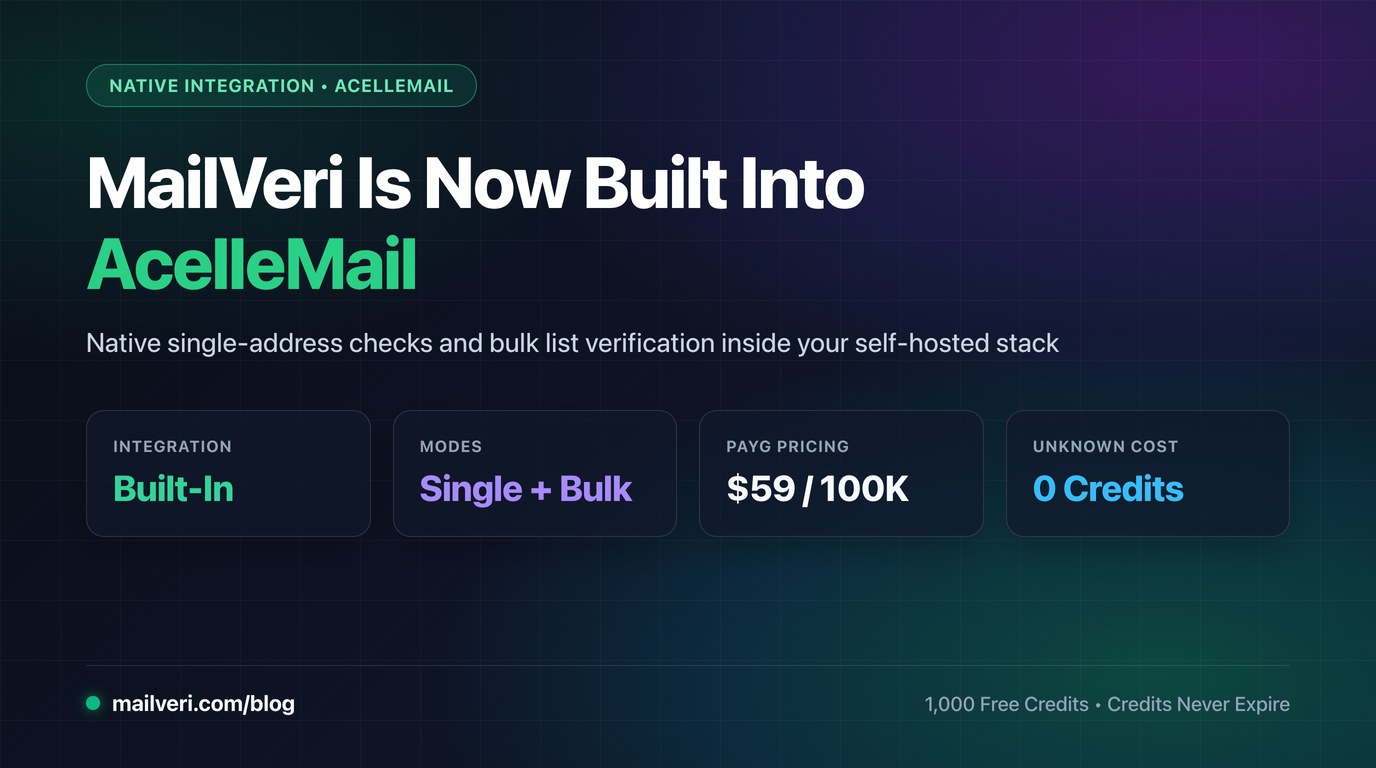
Great news for self-hosted email marketers and SaaS operators: MailVeri is now natively built into AcelleMail starting from version 4.2.0-p208. You can now verify single addresses and clean entire subscriber lists directly inside your AcelleMail dashboard without writing custom glue code or paying bloated legacy verification rates.
Working closely with the AcelleMail engineering team over recent weeks, we polished every API edge case—including machine-readable error codes, bulk pagination, and headerless list edge cases—so native list cleaning runs smoothly out of the box. AcelleMail also published an illustrated step-by-step walkthrough in their knowledge base: Verify your list with MailVeri — AcelleMail KB.
Integration Snapshot: MailVeri + AcelleMail
- Availability: Built directly into AcelleMail under Sending → Email verification (no plugins required).
- Verification Modes: Both single-address real-time checks and full-list bulk uploads (up to 1,000 contacts per batch upload automatically).
- Pricing & Free Trial: Start with 1,000 free credits (no credit card required), then Pay-As-You-Go from $9 / 10K, $59 / 100K, and $299 / 1M checks ($0.30 per 1,000).
- Zero Waste Billing: Credits never expire, catch-all and disposable checks cost 1 credit flat, and
Unknownverdicts cost 0 credits. - Official Illustrated Guide: Read AcelleMail's setup documentation →
1. Why Use MailVeri Inside Self-Hosted AcelleMail?
Teams choose self-hosted AcelleMail to break free from steep recurring ESP subscriptions and own their sending infrastructure. Yet paying legacy verification vendors $400 to $649 per 100,000 checks quietly erases much of that margin—especially when cleaning cold outreach lists or multi-tenant SaaS customer imports.
With MailVeri built directly into AcelleMail, you keep bounce rates strictly under 2%, protect your Amazon SES, SMTP, and dedicated IP sender reputation, and cut list-cleaning bills by up to 90%:
| Provider | 10K Checks | 100K Checks | 1M Checks | Credit Expiry & Unknowns |
|---|---|---|---|---|
| MailVeri | $9 | $59 | $299 | Never expires; 0 credits on Unknown |
| MillionVerifier | $39 | $149 | $449 | Never expires; conditional Unknown refunds |
| NeverBounce | $50 | $400 | $2,500 | Expires after 12 months |
| ZeroBounce | $129 | $649 | $3,199 | 2-year rolling expiry on PAYG packs |
See full volume tiers—including 500K ($199) and 5M ($999)—on our Pricing page or read our head-to-head breakdown in MailVeri vs. ZeroBounce.
2. How to Connect MailVeri in AcelleMail (6 Quick Steps)
Before starting, make sure your AcelleMail background queue worker is active for the high queue. For annotated screen-by-screen screenshots of every menu, refer to AcelleMail's official MailVeri setup guide.
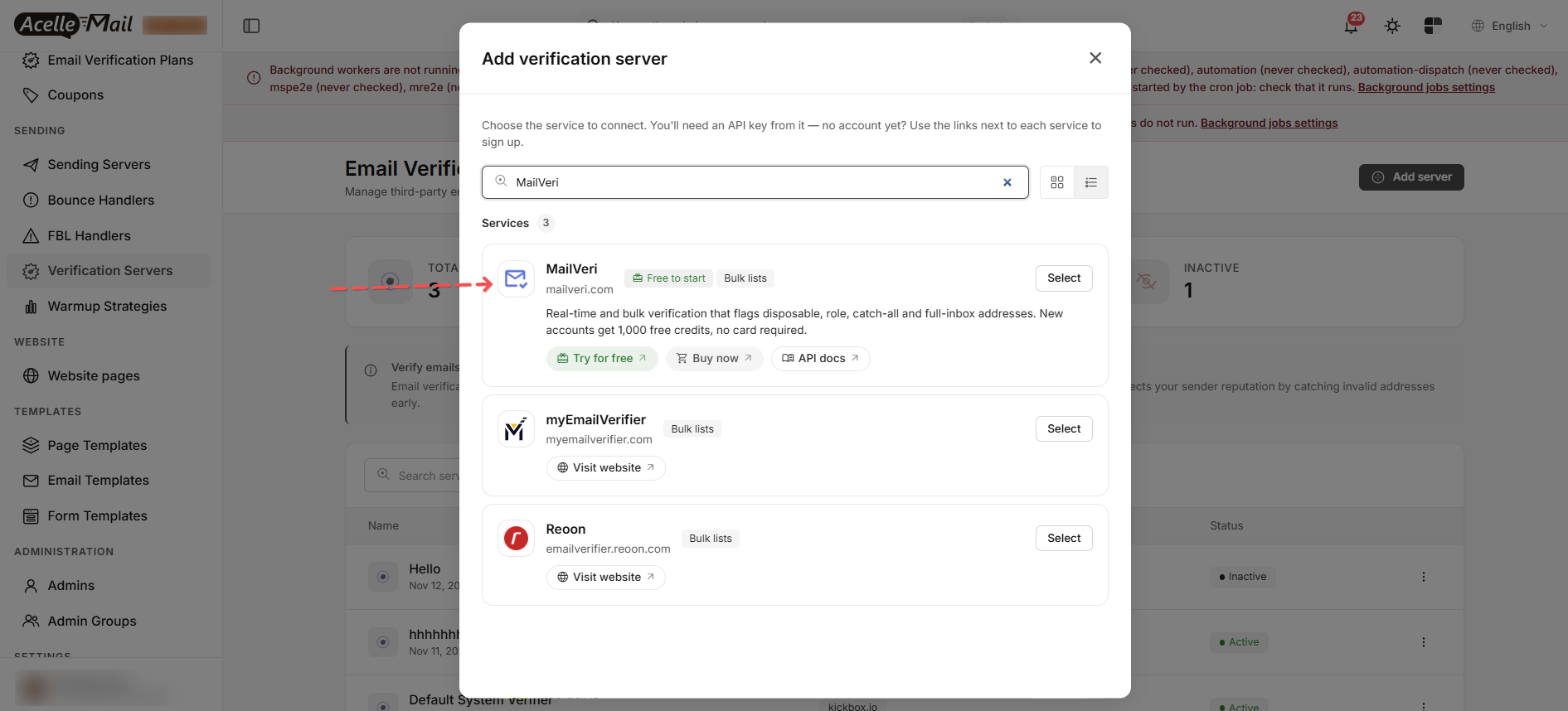
- Create a MailVeri API key: Sign in or create a free MailVeri account (includes 1,000 free credits). In the dashboard sidebar, open Integration → API Keys, click Create new key, choose Never (or an expiry date), and copy the generated
mv_token. - Select MailVeri in AcelleMail: Open Sending → Email verification and click Add server. Type
mailveriinto the search box and click Select on the MailVeri card (badged Free to start and Bulk lists). - Paste your key & configure limits: Enter a recognizable Server name, paste your
mv_token into the masked API Key field under API Configuration, fill in Max verifications, Per time base, and Time unit under Rate Limits, then click Add server. Those rate-limit inputs govern single-address lookups only; bulk list uploads run asynchronously and are not held back by them. - Pick MailVeri on any subscriber list: Navigate to Lists, open your target list, click the Email verification tab, choose your MailVeri server from Select verification server, and click Start verification. (To re-verify subscribers that already hold a badge, filter or select them under the Subscribers tab and launch verification from Actions.)
- Wait for the background run to finish: Under Verification runs, the job moves cleanly from
QueuedtoRunningtoCompleted. AcelleMail uploads up to 1,000 contacts per batch request and splits larger lists automatically across consecutive batches. - Filter & suppress bad addresses: Open the list's Subscribers tab to review each contact's Verification badge, then delete or blacklist undeliverable records before launching your campaign.
3. Understanding AcelleMail Verification Badges
MailVeri evaluates every address across syntax, DNS/MX, 100,000+ disposable domains, role accounts, full-inbox signals, and catch-all domain detection, mapping results directly onto AcelleMail's four subscriber badges:
| AcelleMail Badge | MailVeri Status | Credit Cost | Recommended Action |
|---|---|---|---|
| Deliverable | VALID | 1 credit | Mailbox confirmed active—safe for primary campaigns. |
| Undeliverable | INVALID | 1 credit | Delete or blacklist immediately—sending here triggers hard bounces that damage domain reputation. |
| Risky | DISPOSABLE, ROLE_ACCOUNT, CATCH_ALL, FULL_INBOX | 1 credit | Exclude from main blasts; keep disposable/full inboxes suppressed and segment catch-alls carefully. |
| Unknown | UNKNOWN | 0 credits | Inconclusive response (timeout or greylisting)—unbilled automatically; retry the run later. |
4. For AcelleMail SaaS Admins: Multi-Tenant Plan Setup
Running AcelleMail in multi-tenant SaaS mode? Administrators can provision one shared MailVeri verification server under Admin → Sending → Verification Servers → Add server, configure rate allowances, and assign access per subscription plan under Plans → Email Verification:
- Selected system servers: Grant customers on a plan access only to specific admin-managed MailVeri servers.
- All system servers: Automatically expose every active system verification server on the plan.
- Customer's own servers: Let tenants plug in their own MailVeri API keys up to your configured Maximum Verification Servers cap.
Note that paid MailVeri accounts have zero concurrent upload locks or stored-list caps—meaning SaaS platforms sharing one funded MailVeri workspace across dozens of customer verification jobs run cleanly in parallel without queuing bottlenecks.
5. Common Setup Issues & Quick Fixes
| Symptom | How to Resolve |
|---|---|
Run stays Queued indefinitely | Confirm your AcelleMail server has a background queue worker actively processing the high queue. |
Run fails with HTTP 403 / "code": "forbidden" | Saving a server in AcelleMail does not test the token live. Generate a new key in MailVeri and update it via Sending → Email verification → Edit. |
Free plan returns stored_list_limit_reached | Delete finished lists inside MailVeri Mail Lists or purchase any PAYG credit pack (starting at $9) to remove free-tier stored list caps permanently. |
Credits available displays Not included | Expected when using your own MailVeri server: that card displays your AcelleMail plan allowance, whereas verification draws directly from your MailVeri balance. |
Building custom workflows alongside AcelleMail? View our dedicated AcelleMail Integration Page, explore our REST API Reference, browse all Platform Integrations, or spot-check any address instantly with our free Email Checker.
Clean Your AcelleMail Lists From $59 / 100K
Open AcelleMail, paste your MailVeri key, and start with 1,000 free verification credits.
Frequently Asked Questions
Which AcelleMail version includes native MailVeri verification?
Native MailVeri support shipped in AcelleMail version 4.2.0-p208 and is included in all subsequent releases. You can select MailVeri directly under Sending → Email verification → Add server without installing third-party plugins.
Does the AcelleMail integration verify whole lists or only single addresses?
Both. AcelleMail connects to MailVeri's bulk list API for whole-list verification runs—uploading up to 1,000 addresses per batch automatically—and also supports single-address verification checks governed by your configured rate limits.
Are Unknown verification results charged in AcelleMail?
No. Whenever a receiving mail server returns an inconclusive timeout or greylisting response, MailVeri marks the result as Unknown and automatically charges 0 credits.
Can AcelleMail SaaS admins share one MailVeri account across customer plans?
Yes. Admins can add MailVeri as a system verification server and assign it via Selected system servers or All system servers on any plan. Paid MailVeri accounts have no concurrent upload or stored-list limits, allowing multiple tenant cleanups to run in parallel.