Verify Email Lists Inside Google Sheets.
Zero CSV Exports Required.
Clean prospect lists, Apollo exports, and scraped contacts directly in your spreadsheet. One-click verification with custom menus, automated status color-coding, and account-level key security.
Designed for Spreadsheet Power Users
Engineered with production-grade safety features so you can verify thousands of emails smoothly.
Custom MailVeri Toolbar Menu
Adds a dedicated MailVeri menu to your top bar. Simply highlight any column or cell range and click ⚡ Verify Selected Emails.
Account-Level Key Security
API keys are saved in Google's encrypted UserProperties. Your key stays private to your Google account and is never exposed to team members or viewers.
Automated Color-Coded Verdicts
Results are immediately styled: soft green for VALID, soft red for INVALID, and amber for CATCH_ALL.
Duplicate & Repeat Protection
The script automatically inspects adjacent columns and skips rows that already have a verified verdict, saving your credits when working on growing lists.
Quick Setup: How to Use in 60 Seconds
AOption 1: Clone the Ready-to-Use Google Sheet (Recommended)
- Click the Make a Copy (Clone Template) button above.
- In the cloned sheet, click Extensions > Apps Script, select
onOpenfrom the toolbar dropdown, and click Run (▸) to complete Google's one-time permission grant. - Back in your Sheet, click MailVeri > ⚙️ Set API Key and paste your key from MailVeri Developer Hub .app.mailveri.com/api-keys/Copy your API Key here
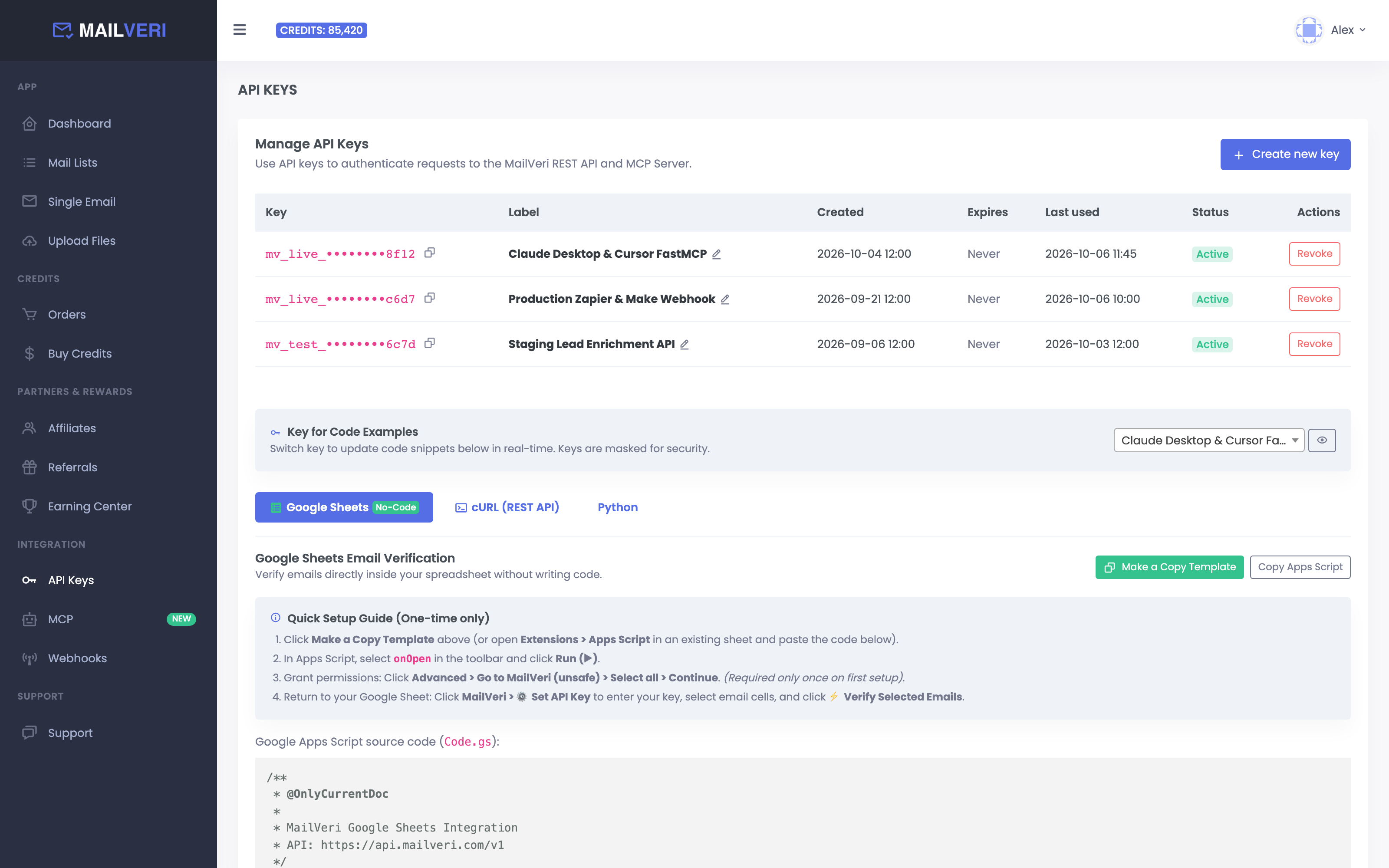
- Highlight your email rows and click MailVeri > ⚡ Verify Selected Emails!
BOption 2: Add into an Existing Spreadsheet
- Open your existing Google Sheet and go to Extensions > Apps Script.
- Replace the contents of
Code.gswith the code copied from the “Copy Apps Script (Code.gs)” button. - Save (Cmd+S / Ctrl+S) and refresh your Google Sheet. The MailVeri menu will appear instantly.
// MailVeri API call within Google Apps Script (UrlFetchApp)
var response = UrlFetchApp.fetch('https://api.mailveri.com/v1/verify-mail/', {
  method: 'post',
  headers: {
    'Authorization': 'Bearer ' + apiKey
  },
  payload: {
    'mail': emailAddress
  },
  muteHttpExceptions: true
});

var result = JSON.parse(response.getContentText());{
"error": 0,
"message": "Verified [email protected] successfully",
"status": "VALID",
"email": "[email protected]",
"mail": "[email protected]",
"balance": 4999
}Stop Paying Legacy Prices for Spreadsheet Email Cleaning
Most Google Sheet extensions charge high markups. MailVeri connects directly to our high-throughput API at true developer rates:
| Provider | Cost per 100K | Credit Expiration | Net Spreadsheet Savings |
|---|---|---|---|
| MailVeri Apps Script | $59 | NEVER Expire (Lifetime) | Baseline (Best Value) |
| NeverBounce Add-on | $400 ($4.00/1k) | Expires in 12 Months | Save 85% with MailVeri |
| ZeroBounce Add-on | $649 ($6.49/1k) | Expires in 2 Years | Save 91% with MailVeri |
| BriteVerify | $600 ($6.00/1k) | Expires in 12 Months | Save 90% with MailVeri |
Frequently Asked Questions
Common questions about verifying email lists inside Google Sheets.
Is my MailVeri API key safe inside a shared Google Sheet?
Yes. The MailVeri Google Apps Script stores your API key inside Google's encrypted UserProperties store, which is scoped strictly to your individual Google account and is never visible to spreadsheet collaborators or viewers.
Does re-running the script charge twice for already verified rows?
No. The script inspects the status column before calling the API and automatically skips any row that already has a verification verdict, protecting your credits when new leads are appended to the sheet.
When should I use Google Sheets vs MailVeri Bulk CSV upload?
Use the Google Sheets Apps Script for interactive lists up to a few thousand rows directly in your spreadsheet. For large lists from 5,000 to 1,000,000 rows, upload the CSV directly to the MailVeri Dashboard for high-concurrency batch processing.
Related Guides for Spreadsheet & No-Code Teams
How to Verify Emails in Google Sheets & Make.com Automatically
Copy-paste our free Google Apps Script custom formula and batch menu to verify sheet rows in place.
How to Verify Emails in Zapier: Step-by-Step Automation Guide
Automatically verify new Google Sheets rows in real time using Zapier.
Why Apollo “Verified” Emails Still Bounce (And How to Fix It)
Why exported B2B spreadsheets require live SMTP verification before sending.
Start cleaning spreadsheets in Google Sheets today
Sign up in 30 seconds and receive 1,000 free API credits to test your Google Sheets template now.